Physical disconnection
A mechanical ejection separates the connection from the device.

USB-C. WITH MECHANICAL EJECTION.
Lunara AutoUnplug mechanically disconnects the charging connection. Compact USB-C equipment for your everyday charging routine.
Original footage shows the adapter with different devices and physical disconnection. This video has no sound.
A mechanical ejection separates the connection from the device.
Actual charging power depends on the device, cable and charger.
No Bluetooth, Wi-Fi or internal battery.
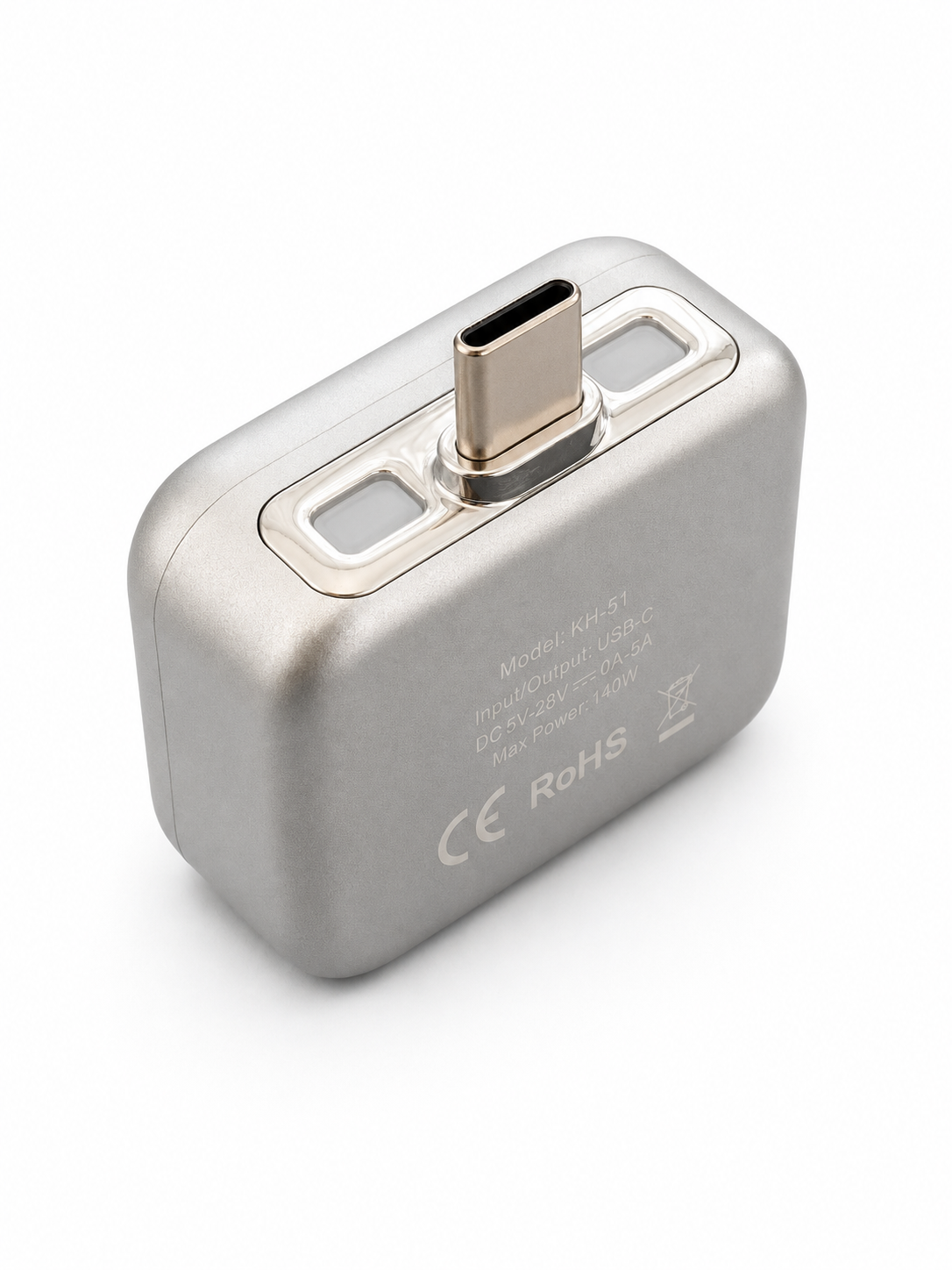
HOW IT WORKS
AutoUnplug is an accessory, not a charger. Use it with a compatible device, cable and charger.
Connect AutoUnplug between a compatible USB-C device and charging cable.
Charge as usual. Charging behaviour depends on the combination you use.
Mechanical ejection separates the charging connection. Follow the instructions for use and compatibility.
No. You need a compatible charger and charging cable. AutoUnplug is an accessory for the charging connection.
Compatibility and charging behaviour depend on the device, cable, charger and battery management. Contact us before ordering if you are unsure.
A specific battery percentage is not guaranteed for every combination. Behaviour depends on the connected device and its battery management.
For Switzerland, our shipping policy lists a usual total of 3–8 working days after payment confirmation. See the policy for details and other destinations.
Shipping & deliveryRead the return conditions and contact us before sending an item back. The policy explains deadlines, eligibility and return shipping costs.
Return conditions